Get Lizzandra running
Your download should have started. Windows may block the installer. That is expected. We have not signed it yet.
This does not mean the application is harmful. Windows shows this to you for software from developers who have not paid off Microsoft.
If Windows says it protected your PC
-
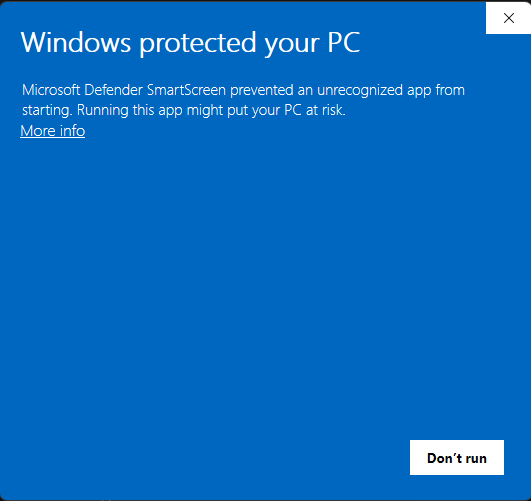
Click More info
You will see a blue window titled “Windows protected your PC” and a Don’t run button. Open More info.
-
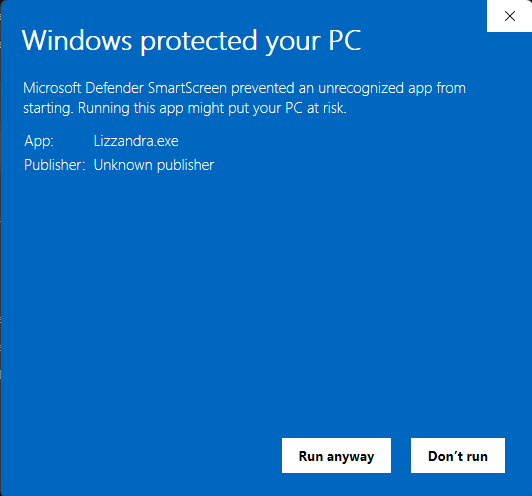
Click Run anyway
The same window now shows Lizzandra.exe and Unknown publisher. Choose Run anyway to install.
Create an OpenRouter API key
Lizzandra uses your own OpenRouter key to talk to AI. You paste it in the app during setup. The key stays on your computer.
-
Sign up
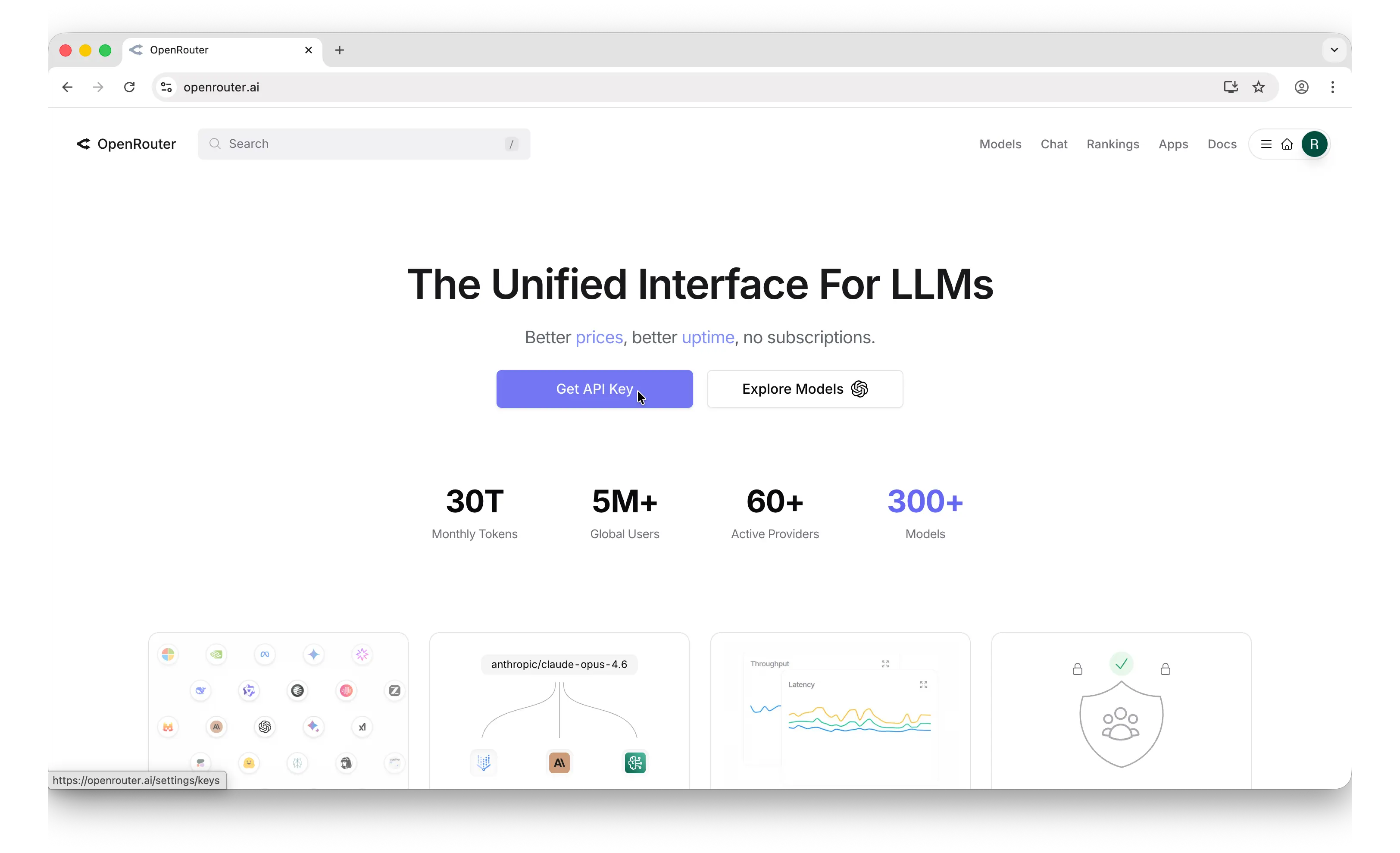
Go to openrouter.ai. Click Sign up and use email, GitHub, or Google. On the home screen, click Get API Key.
-
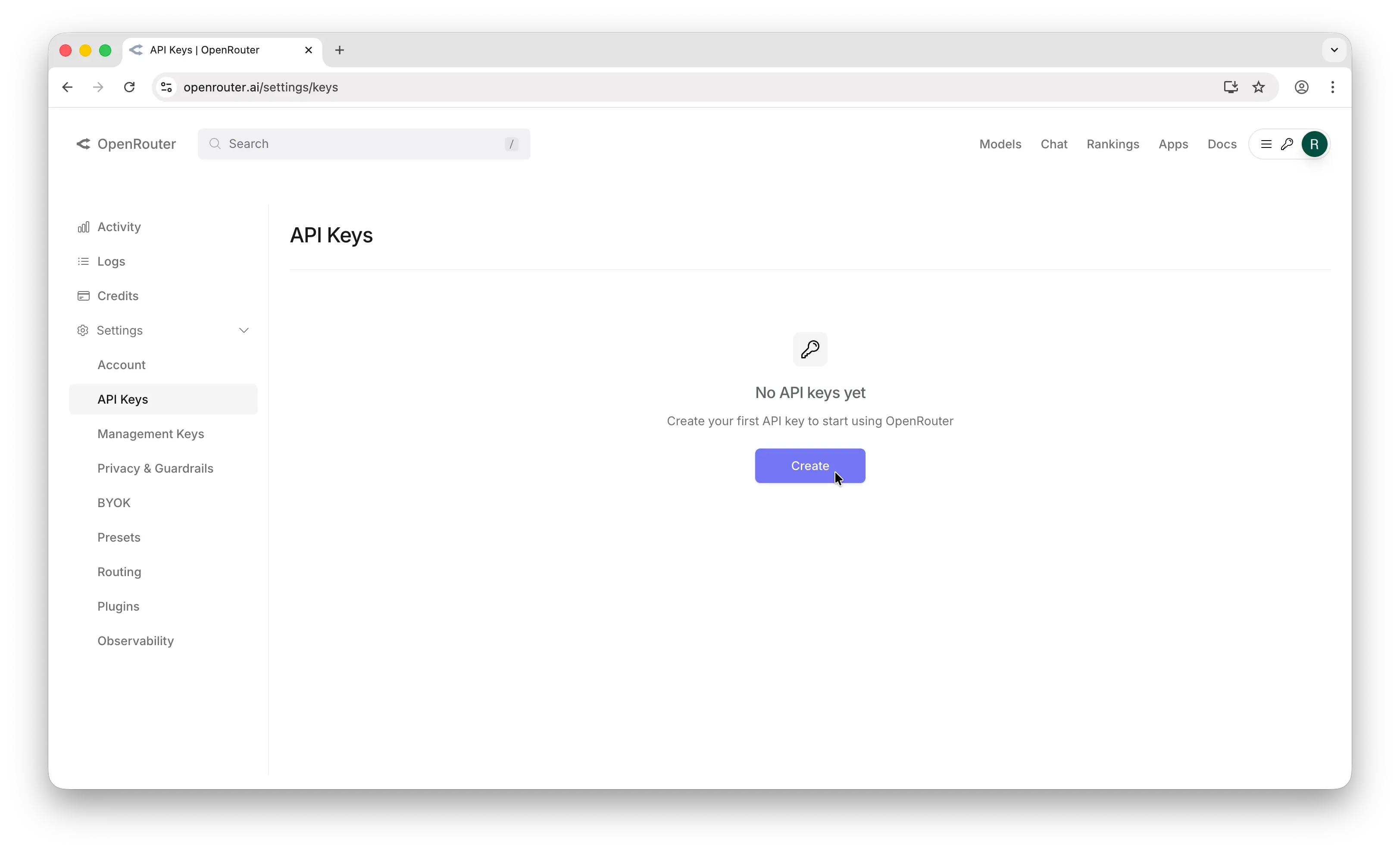
Click Create
You land on the API keys page. Click Create.
-
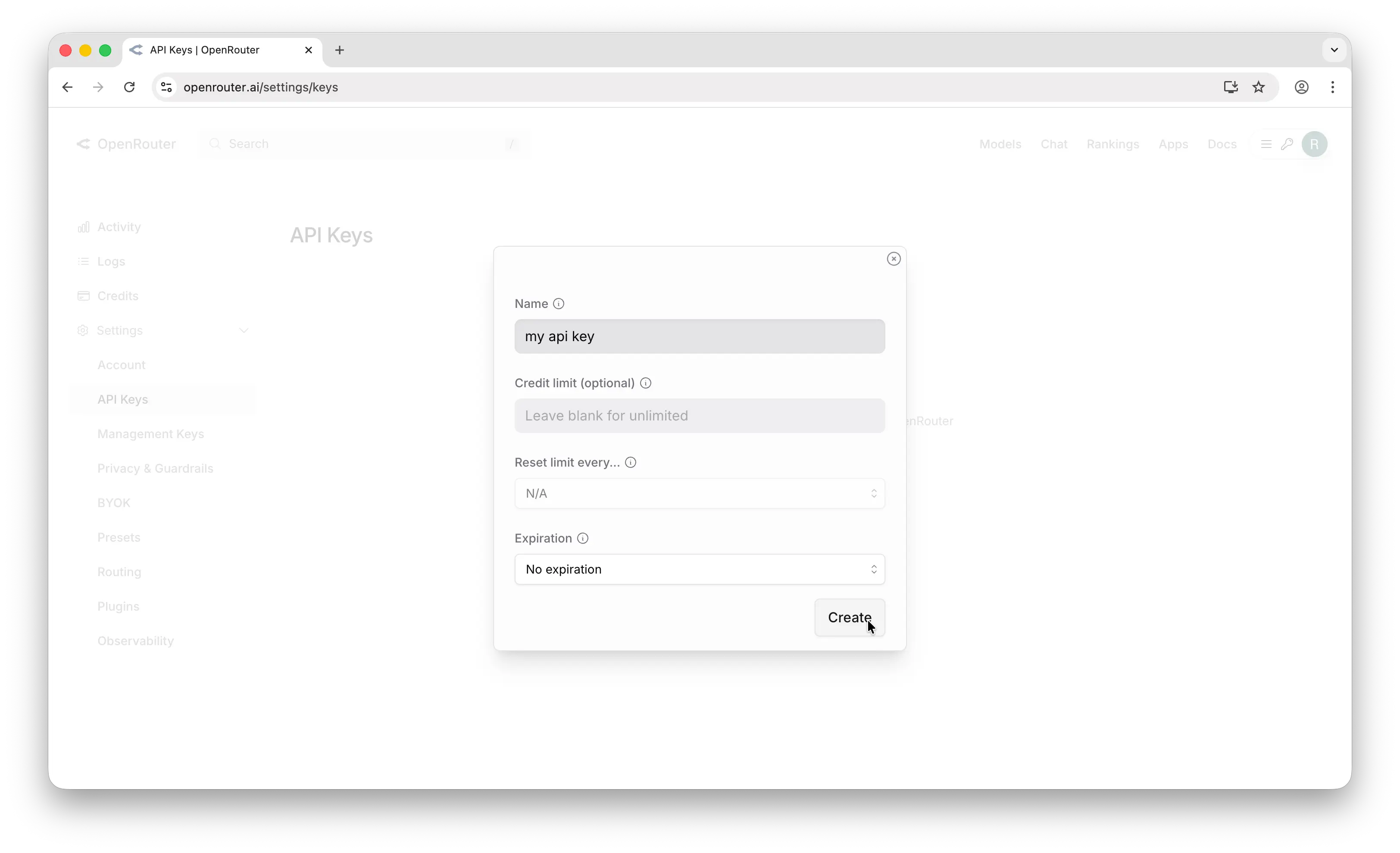
Name it and copy
Give the key a name. You can set a credit limit so this key cannot spend more than you allow. Copy the key as soon as it appears — OpenRouter only shows it once. Paste it into Lizzandra when the app asks.
Creating a key is free. Using it needs a little credit on OpenRouter. A spend limit on the key is a good idea.
Screenshots from Reynaldi Chernando’s OpenRouter guide.